Working as a nurse in an acute unit at Keusote in Finland, digital platforms have become an essential part of my daily routine. I rely on our electronic patient information systems to access up-to-date medical histories, lab results, and treatment plans for each patient. These platforms allow me to coordinate care quickly with colleagues, update notes in real time, and ensure that patients receive safe and efficient treatment, even during busy shifts. Being able to track changes, communicate securely, and manage critical information digitally has made my work more organized and has helped reduce errors, which is especially important in high-pressure acute care settings.
At the same time, social media tools play a more subtle but meaningful role in my professional life. Platforms like secure messaging apps and professional discussion forums allow me to connect with colleagues, share knowledge, and learn about best practices beyond my unit. While personal social media requires careful boundaries, using professional networks enhances collaboration and provides emotional support, reminding me that healthcare is not just about technology, it’s about people. Balancing these tools in my daily workflow has made me more efficient, connected, and mindful of both patient care and professional development. Social digital tools used at my workplace and across the Keusote healthcare organization include;
Pegasos/OMNI 360
Pegasos and OMNI360 are patient record and healthcare information systems being combined into a single platform for storing, accessing, and archiving patient data across Finnish health services. They support documentation, continuity of care, and compliant data handling as part of the core healthcare infrastructure. Pegasos/OMNI also connects with other databases, such as the regional Navitas system for viewing patient records across EHRs, and with the national Prescription Centre (Reseptikeskus) via Kanta services, though the latter is not accessed as a separate platform within OMNI360.
Microsoft Teams
In my workplace and across Keusote healthcare, Microsoft Teams is used daily as a central tool for communication, coordination, and planning. Managers use it to send messages and hold video meetings, ensuring timely updates and enabling staff to participate in discussions remotely, which has greatly improved internal communication and team coordination.
In my workplace, WhatsApp is used daily to communicate about shifts, including cancellations, changes, and other work-related updates. It allows staff to stay informed quickly, ensuring smooth and rapid coordination.
In Keusote healthcare departments, LinkedIn is primarily used by management for job advertisements and recruitment, enabling the organization to share open positions and attract qualified candidates efficiently. For nurses and other staff, LinkedIn supports professional development by allowing them to apply for positions, maintain an up-to-date CV, and network with colleagues and healthcare professionals. While it does not play a role in daily clinical operations, LinkedIn contributes to career growth, workforce management, and staying informed about developments in the healthcare sector.
Five New Social Media Tools I Could Use in My Work
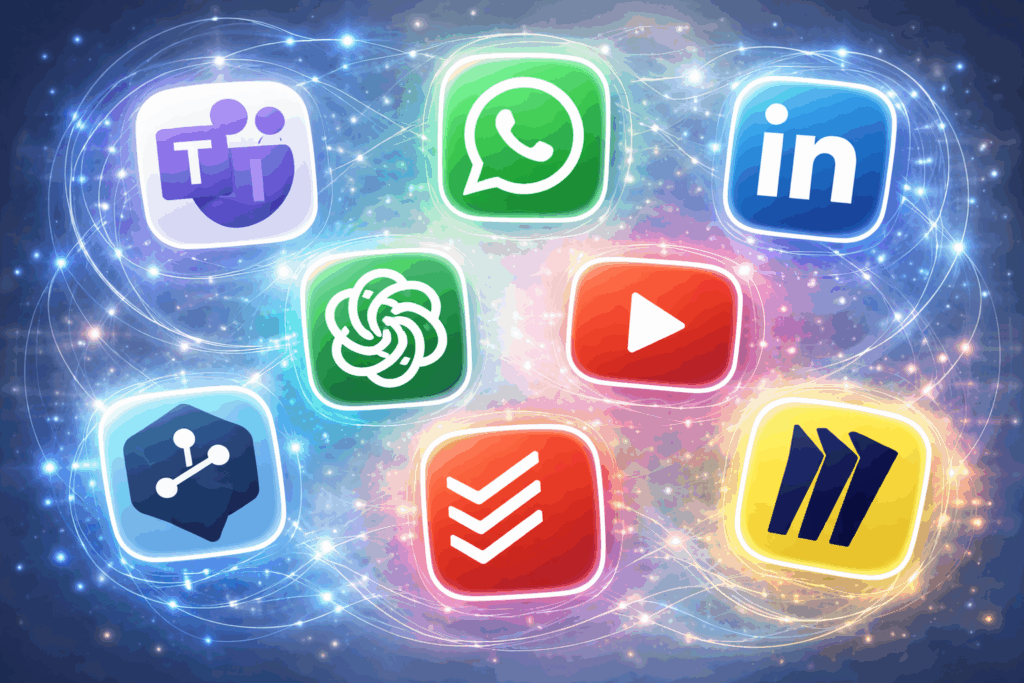
Most of the digital tools included in the e-platform assignment, such as social media and public content apps, are not suitable for use in the healthcare department in Finland. These platforms are primarily designed for public engagement or general communication and are not intended for clinical workflows, which creates a high risk of data leakage, misinformation, and privacy breaches.
In the Finnish and EU healthcare context, data privacy and legal compliance are critical: tools must adhere to GDPR regulations, ensuring that personal health information is never stored or shared without proper protection, and patient confidentiality must always be maintained.
Additionally, procurement and IT governance policies require that any digital tool used in healthcare be formally approved by the organization, which excludes most public apps from clinical or internal use. While some of these platforms could be used for public health awareness campaigns, they are unsuitable for day-to-day clinical practice or secure staff communication.
The five tools I have selected could be useful in my workplace, but caution must be exercised when it comes to patients’ personal data.
ChatGPT
Digital tools such as ChatGPT could be highly beneficial in my daily work as a nurse in an acute hospital unit, especially in a fast-paced environment where patients are frequently admitted and discharged. As a foreign nurse working in Finland, one of the main challenges is understanding complex medical language used in acute care documentation. A tool like ChatGPT could support clinical decision-making by helping clarify medical terminology, care processes, and treatment pathways in a clear and contextual way. It could also assist with drafting materials, such as structuring professional notes, preparing patient education texts, or summarizing guidelines, as well as answering common, non-patient-specific questions. In addition, it could support ongoing training and self-learning by explaining unfamiliar conditions or procedures encountered during shifts.
However, the use of such a tool would require careful data privacy risk assessment. It would be essential not to input any personal or identifiable patient information and to use the tool only for general guidance, learning, and language support. When used responsibly and alongside professional judgment, digital tools like this could reduce language barriers, improve efficiency, and support professional development without compromising patient safety. In this way, AI-based tools could act as a valuable support system rather than a replacement for clinical expertise or official healthcare systems.
YouTube
In my workplace, YouTube can serve as a supportive educational tool rather than a part of daily clinical routines. It offers a wide range of healthcare-related videos, including demonstrations of clinical procedures such as sterile indwelling catheterization. For a nurse working in an acute setting, these visual materials can help refresh skills, clarify correct techniques, and support learning when preparing for procedures that are not performed frequently.
Although YouTube is not formally integrated into everyday workflow, its accessibility and variety of professional content make it a useful supplementary resource for nurses. When used selectively and critically, it can strengthen clinical competence, increase confidence, and support continuous professional development alongside hands-on training and official clinical guidelines.
DEEPL
Before this course, I was unfamiliar with DeepL, but after exploring its features, I see it as a potentially valuable tool in Finnish healthcare, where the growing immigrant population means many patients and professionals are non-native Finnish speakers. Language barriers can make understanding documentation, instructions, and professional communication challenging, and compared to Google Translate, DeepL is often praised for its higher accuracy and better contextual translations. It could be useful for translating non-confidential materials such as guidelines, educational content, and general instructions, helping to support communication and accessibility.
However, like other online translators, DeepL has limitations: it may struggle with specialized medical terminology, requires internet access, and is not suitable for confidential patient data due to privacy concerns. Used responsibly, DeepL can support learning and communication but cannot replace professional medical interpretation, clinical judgment, or secure healthcare systems.
Todoist
Todoist is a task management and productivity application that allows users to create, organize, and track tasks with deadlines, priorities, and project categories. In a healthcare context, it could help nurses and other staff keep track of daily responsibilities, follow up on patient-related tasks, manage personal learning goals, or organize administrative duties. Its simplicity, mobile accessibility, and clear task structure make it particularly useful in fast-paced environments like acute care wards, where prioritization can be challenging. Personally, I would find Todoist helpful for managing my responsibilities more efficiently and staying on top of tasks during busy shifts.
In comparison, Keusote primarily relies on Microsoft Teams and internal systems for coordinating work, managing rosters, and team communication. While Teams supports integrated workflows, Todoist could serve as a supplementary tool for personal task organization and prioritization, especially for tasks not tied to team scheduling. However, it cannot be used for patient documentation or sharing sensitive data, so its role is limited to non-confidential workflow management. Still, Todoist could help healthcare professionals stay organized, improve efficiency, and reduce the risk of missing important tasks in a demanding work environment.
Miro
Miro is a digital collaborative whiteboard that could greatly benefit my work as a nurse in a multiprofessional team. During our daily multiprofessional meetings, Miro can be used to create visual patient boards that track each patient’s status, progress, and care plans in real time. Color-coded notes and icons can highlight key interventions, responsibilities, and pending actions for different professionals, improving clarity and coordination.
The platform allows all team members, including remote or hybrid staff, to contribute simultaneously, ensuring that updates are visible to everyone. Miro also supports mapping patient care pathways, planning future interventions, and summarizing complex cases visually, which enhances continuity of care and facilitates efficient handovers between shifts.
Overall, using Miro can improve team collaboration, reduce miscommunication, and provide a clear, organized overview of patient care for the entire team. It is important to note that during our daily meetings, we do not use patients’ personal data. We only reference room and bed numbers, and do not include names or dates of birth, making Miro a safe tool.
Successful use of digital applications
Digital applications are a big part of modern life. They help us communicate, work more efficiently, and even grow personally and professionally. They can also help people earn money. For a digital tool to succeed, it needs to be easy to use, accessible, relevant, reliable, well-integrated, and ethical. This means it should be simple to navigate, work on different devices, and meet the needs of all users, including those who need multilingual support or accessibility features. The tool should do what users need, work consistently without errors, and fit smoothly into existing workflows, like calendars, messaging, or records. Privacy, security, and ethical use are critical, especially when handling sensitive information. When these elements are in place, digital tools can boost efficiency, support work tasks, and help organizations run better and more sustainably.
These principles are especially important in healthcare, where decisions can have serious consequences. Healthcare workers handle sensitive patient data, make fast decisions, and work with teams across multiple locations. Tools like electronic health records, scheduling apps, communication platforms, and translation software help healthcare professionals provide better care, reduce errors, and save time.
Digital applications also go beyond work. Social media platforms like Facebook, Instagram, and TikTok let people share content, connect with audiences, and earn money. In many developing countries, these platforms have allowed entrepreneurs, artists, and service providers to make a living online, even without physical stores or traditional marketing. When digital tools are reliable, safe, and used thoughtfully, they improve productivity, creativity, learning, and financial independence for people globally.
Self evaluation
The use of digital tools and social media platforms is a big part of my daily life, both at work and at home, especially since I balance work and study. From this assignment, I have learned how these tools can be applied in personal and professional contexts to enhance efficiency, collaboration, and continuous learning. While completing the Digitalised Working Environment assignment, I noticed that I repeated similar information in different sections, particularly in the “Digital Society” and “Digital Citizen” topics, likely because much of my discussion focused on healthcare. Despite this, the assignment helped me understand the practical use of digital applications, their benefits for efficiency, learning, and collaboration, and the importance of using them responsibly and ethically.