
My work and digital tools
I work currently in financial sector. My working tasks are customer service, sales and back office. Work requires the use of multiple digital tools. The most used digital tools daily are CRM (customer information system), a calling system, and Microsoft Teams. CRM and calling system are for customer work, and Teams is used with colleagues but sometimes also for virtual meetings with clients. And of course, one of the most important tools is email. Thanks to digital tools, my work can also be done remotely, and my workplace uses hybrid working, which means that part of the workweek can be done remotely. That is a major change over the years what digitalization makes possible.
Utilization of new digital tools
ChatGPT – ChatGBT is AI for everyday use. ChatGPT is for exploring ideas and solving problems.
Positive aspects:
- Always and quickly available
- No registration required
- A good tool for writing an email, for example, if you need a message in a certain style and you don’t know how to put your thoughts into words yourself
Negative aspects:
- The information is not always necessarily correct
- Text created by artificial intelligence is easily recognized, so it cannot be used without editing
Doodle – Doodle is an internet calendar for time management and meeting scheduling.
Positive aspects:
- Works with Google, Office 365 and Apple iCloud
- Easy to install and bring into use
Negative aspects:
- Lack of language options
- The question of information security arises if calendar invitations are sent across organizational boundaries
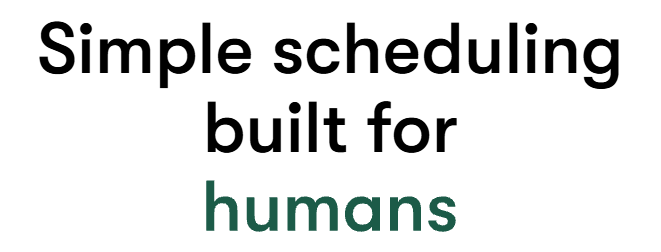
Todoist – Todoist is a to-do list tool for everyday and professional life. It brings efficiency and order to operations. Simply it is a task management tool.
Positive aspects:
- Well-known and popular tool
- Easy to organize and prioritize own tasks
- The entire team can use it at the same time and see shared tasks and upcoming events
Negative aspects:
- The free version has limited functionality
WhatsApp– WhatsApp is free instant messaging application used with an internet connection. In addition to text messages, the application also allows you to send images, videos, documents, files and voice messages. You can also make video calls between groups through the application.
Positive aspects:
- Well-known and popular tool
- Easy to install and use
- Possibility to make groups
- Free of charge
- Ability to backup conversations and attachments to iCloud and Google Drive
Negative aspects:
- Common channel for scams
- Privacy and security risks from data collection (Meta)
- Limited business integrations (cannot relate to tools like CRMs, task managers, or analytics software)
- Limited storage and high data usage

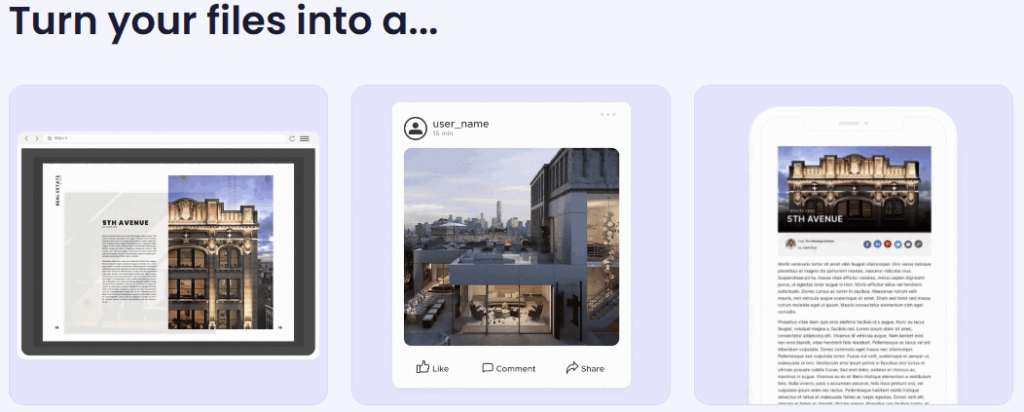
Issuu – Issuu digitized files into flipbooks or articles. Digital materials are easily shareable.
Positive aspects:
- Statistics can be used to analyze
- Easy to share materials
Negative aspects:
- Paid
- Not for private sharing, which means that you cannot share files with the customer that contain their personal information. That means Issuu cannot be used, for example, to distribute a quote to a customer
Element for successful use of digital applications
I think one of the most important things about implementing and using digital applications is that there is a real need for them and that they support the work. I don’t think it makes sense to use applications at work that don’t support the work or bring benefits to it. I think it is very important to consider information security when choosing the applications to use. Applications should also be easy to use, and the operating system should be easy to navigate. In terms of the usefulness of applications, it is also important that their features can be customized according to the employee’s job duties. By this I mean that, for example, the application’s home page can be customized to include the functions that an employee needs daily in their work. In addition to being easy to use for employees, operating systems must also be easy to use for customers. From the customer’s perspective, operating systems that are difficult to use can, at worst, lead to a change of service provider. In the industry I work in, banking, the ease of use of online banking is one of the most important features that a customer might use to choose a bank, and especially today, the functionality of services is further emphasized because most services must be handled digitally.
The operating systems in use must also work seamlessly together to make working easy. For example, if there are several systems in use that contain the same customer information, the information should be transferred from one system to another, and not so that the employee must record the same thing in several different systems. In summary, operating systems must be functional and productive for the employee, as well as user-friendly and trustworthy from the customer’s perspective.
Self evaluation
While completing this task, I noticed how many different operating systems and applications there are. I just had the thought that there were already too many options. Does everyone even need it? I don’t think so. New operating systems and applications are constantly coming to the market, but they often do not surpass the proven and existing ones. The most used and most functional operating systems in my working life and career are certainly used internationally in every industry, such as Microsoft’s various functions, as well as CRM. I really don’t see a real need to include any additional operating systems in everyday work. The less you can do, the better. While doing the assignment, I also thought that one of the most important features of operating systems is usability from the customer’s perspective. As a customer, I don’t want to deal with a digital service that doesn’t work but rather look for a better service provider immediately. So, overall, we can say that the most important task of digitalization, from the employees’ perspective, is to make work functional, efficient, and easy. And from the customer’s perspective, digitalization must be functional, as its purpose is often to replace face-to-face customer service. I think it’s better to stick with old and proven tools than to intentionally look for new ones all the time.
Hello Lida,
Thank you for posting this interesting blog and allowing me a peek into the effects of digitalization on the financial sector. We use different digital tools in the healthsector, but through reading your blog I realized that we too have tools which are a CRM (customer information system), a calling system, and we too use Microsoft Teams. Hasn’t it been a lifesaver- both during the pandemic and after!
Your site has stunning graphics!